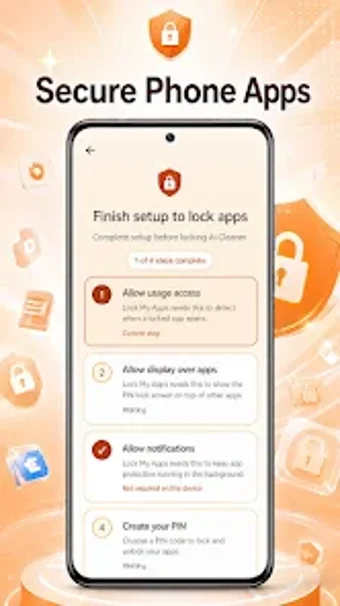
Lock My Apps: PIN-based Android app locker for quick privacy
Lock My Apps by Tug Sigo Arc is an Android utility that adds a PIN layer to selected applications to protect private data. The app lets users pick installed apps from a full list and require a user-defined PIN to open them, and it advertises data encryption in transit. Designed for Android users who want a lightweight, easy-to-configure tool to block casual access to messages, social apps, and financial apps.
What the app does and how it applies to everyday privacy
Lock My Apps acts as an application-level gatekeeper: it enumerates all installed apps and lets the user toggle protection so a PIN is required to launch chosen titles. This approach addresses the common problem of protecting private messages and account access on a shared device, by restricting entry at the app launch point rather than changing system credentials or device unlock methods.
How it behaves on typical devices and its system footprint
The app is described as focused and lightweight, which implies modest resource demands during normal use; selection and PIN checks run at app-launch time rather than continuous full-disk operations. Because it operates at the application layer, it does not require modifying system-level authentication; users should expect app-launch latency limited to the PIN prompt itself rather than extended background scanning.
Safety model, data handling, and operational risks
The developer documents that the app uses a user-defined PIN and includes encryption in transit, which supports secure PIN transmission when needed. The disclosure also states collection and sharing of location, app activity, and device IDs with third parties; this means users trade limited telemetry for the locking service and should weigh that exchange before enabling protections on sensitive accounts.
Who can use it and how much technical skill is required
The interface is built for quick setup: users browse a list of installed applications and toggle locks, so non-technical people can configure basic protection without deep system knowledge. The app's focused feature set suits people who need immediate, local access control rather than administrators seeking device-wide policy enforcement or rollback tools.
Practical choice for casual access control, with a privacy trade-off
Lock My Apps is a practical option for Android owners who need simple, per-app PIN protection to block casual access by family or colleagues. The developer's telemetry disclosure means the service trades some device data for convenience, so the app suits users prioritizing fast setup and local access control rather than those who require minimal data sharing. Recommended for quick app-level privacy with awareness of data collection.